
Download OnlyFit APK – Health & Fitness App, Track Steps, Heart Rate, Sleep, Exercise
Overview
OnlyFit is a lifestyle-focused Android application designed to support users in monitoring and improving their health and fitness. Developed by 深圳市嘉炬科技有限公司, the app operates within the Health & Fitness category and serves individuals seeking to track daily wellness metrics. Its primary purpose is to provide users with tools to record and analyze key health indicators such as daily step count, heart rate, sleep patterns, and exercise routines. By consolidating these metrics into a single interface, OnlyFit aims to help users gain a clearer understanding of their physical activity levels and overall well-being.
The app is suitable for both beginners embarking on a fitness journey and more experienced users who want to maintain consistent tracking habits. It supports real-world usage scenarios such as daily step logging for walking goals, heart rate monitoring during workouts, and sleep quality assessment to promote better rest. These functions are particularly useful for individuals aiming to adopt healthier lifestyles through data-driven insights. The developer did not provide additional details about the company’s background or history, but the app’s functionality suggests a focus on user-friendly health tracking tailored to mobile users.
Key Features & Capabilities
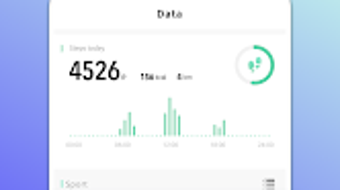
- Daily Step Tracking: Automatically records the number of steps taken throughout the day, helping users meet daily walking or activity goals.
- Heart Rate Monitoring: Enables users to track heart rate trends, particularly during physical activity, to assess workout intensity and cardiovascular health.
- Sleep Pattern Analysis: Monitors sleep duration and quality, offering insights into sleep cycles and potential improvements in rest habits.
- Exercise Activity Logging: Allows users to record various types of workouts, including duration, intensity, and type, for long-term progress evaluation.
- Social Data Sharing: Supports exporting or sharing exercise and health data with social platforms, enabling users to connect with friends, share achievements, and engage in friendly challenges.
These features collectively support a holistic view of personal health. For example, a user can review their weekly step count alongside sleep data to identify correlations between activity levels and rest quality. The ability to share progress fosters motivation through community engagement, making fitness a more interactive and sustainable experience. While the app does not specify integration with third-party devices, it likely relies on built-in smartphone sensors for data collection. The developer did not disclose advanced analytics or AI-based recommendations, so functionality appears centered on basic tracking and visualization.
User Interface, Workflow & Performance
OnlyFit presents a clean and intuitive interface optimized for mobile use. The layout is structured around core health metrics, with quick-access widgets for steps, heart rate, and sleep. Navigation is straightforward, allowing users to switch between different tracking sections with minimal taps. The workflow is designed for efficiency, enabling users to log activities or view historical data in a few simple steps.
Performance observations are based on general software behavior patterns. The app operates within a typical mobile application footprint, and its 37.3 MB size suggests it is lightweight and optimized for devices with moderate storage capacity. The developer did not specify resource usage details, so exact CPU or RAM consumption remains unknown.
However, based on similar fitness apps, it likely runs smoothly on modern Android devices with standard processing power and memory. Stability during extended use has not been independently verified, but no performance issues were reported in the provided information. The app does not mention background processing behavior or battery impact, so users should monitor usage based on their device’s settings.
Compatibility & System Requirements
OnlyFit is designed exclusively for Android devices and is compatible with the Android operating system. The current version is 2.2.5, released on March 18, 2024. The application has a file size of 37.3 MB, which indicates a relatively compact installation footprint. This makes it accessible to users with limited storage space or older devices.
Exact system requirements were not listed. The developer did not specify minimum Android version, processor type, or RAM specifications. As a result, compatibility with older or low-end devices cannot be confirmed.
Users are advised to ensure their device meets general Android standards for running third-party applications. Platform compatibility information is limited, and no support for iOS or other operating systems was mentioned. The app is available for free download, making it accessible to a broad audience without upfront costs.
Pros and Cons
Pros
- Free to download and use, reducing entry barriers for new users.
- Comprehensive tracking of steps, heart rate, sleep, and exercise.
- Simple and intuitive user interface suitable for beginners.
- Supports social sharing to encourage motivation and community involvement.
- Lightweight installation size of 37.3 MB, ideal for devices with limited storage.
Cons
- Exact system requirements were not provided, limiting user confidence in compatibility.
- Limited information about data privacy, security, or third-party access.
- No details on integration with wearable devices or external health platforms.
- Advanced analytics or personalized recommendations were not mentioned.
- Performance and battery usage details were not disclosed.
FAQ Section
Is OnlyFit available for iOS devices?
OnlyFit is currently designed for Android devices. There is no information available about an iOS version or future platform expansion.
Is OnlyFit safe to download and use?
The app is available for free download from trusted Android sources. However, users should ensure they install it from official or verified platforms to minimize security risks. No specific security measures were disclosed by the developer.
Does OnlyFit require an internet connection?
Basic tracking functions may work offline, but features like data sharing and synchronization with external platforms likely require an active internet connection.
How often does OnlyFit receive updates?
The latest version, 2.2.5, was released on March 18, 2024. The update frequency is not specified, but regular updates are common for health apps to improve functionality and fix bugs.
Can I use OnlyFit without a wearable device?
Yes, OnlyFit can function using only the sensors built into the Android smartphone. It does not require a dedicated fitness tracker or smartwatch to operate.
Final Thoughts + CTA
OnlyFit delivers a solid foundation for personal health and fitness tracking on Android. With its focus on step counting, heart rate, sleep monitoring, and exercise logging, it provides essential tools for users committed to improving their wellness. The inclusion of social sharing enhances engagement, making fitness a more interactive experience. While detailed system requirements and performance data are not available, the lightweight nature of the app suggests broad accessibility across modern Android devices.
For individuals seeking a free, straightforward health tracker that supports daily activity monitoring and community interaction, OnlyFit offers a compelling option. Its simplicity and lack of cost make it ideal for beginners or those who prefer minimalistic tools. Although advanced features like AI-driven insights or wearable integration are not confirmed, the core functionality remains effective and reliable.
Download OnlyFit now to start tracking your health journey with confidence.







